Building Tidzy: 7 Problems I Solved to Make a Mac App People Keep
Every Mac fills up with files nobody can find. These are the problems I hit building an app to fix that, and how I solved each one.

The problem Tidzy exists to solve
Every Mac fills up the same way. Screenshots called Screenshot 2026-10-12 at 10.14.33 PM. PDFs called invoice_83920.pdf or scan0042.pdf. Photos called IMG_4821.HEIC. Downloads from five different apps, all in one folder.
The files are all there. The problem is that the things you remember about them, what was in them, who sent them, roughly when, are exactly the things your Mac can't search for. And meanwhile the pile grows, nobody dares clean it, and somewhere in it are a few files that really shouldn't be lying around.
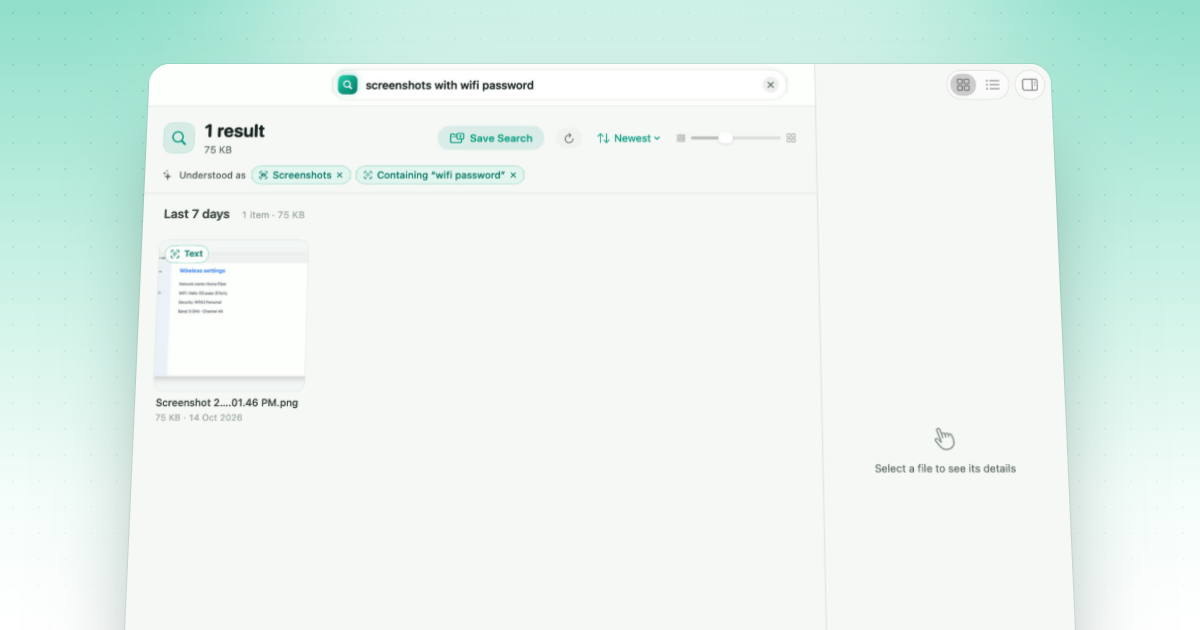
Tidzy started with a question that annoyed me more than it should have: my Mac can already read the text in images, so why can't I type "wifi password" and get the screenshot that has it?
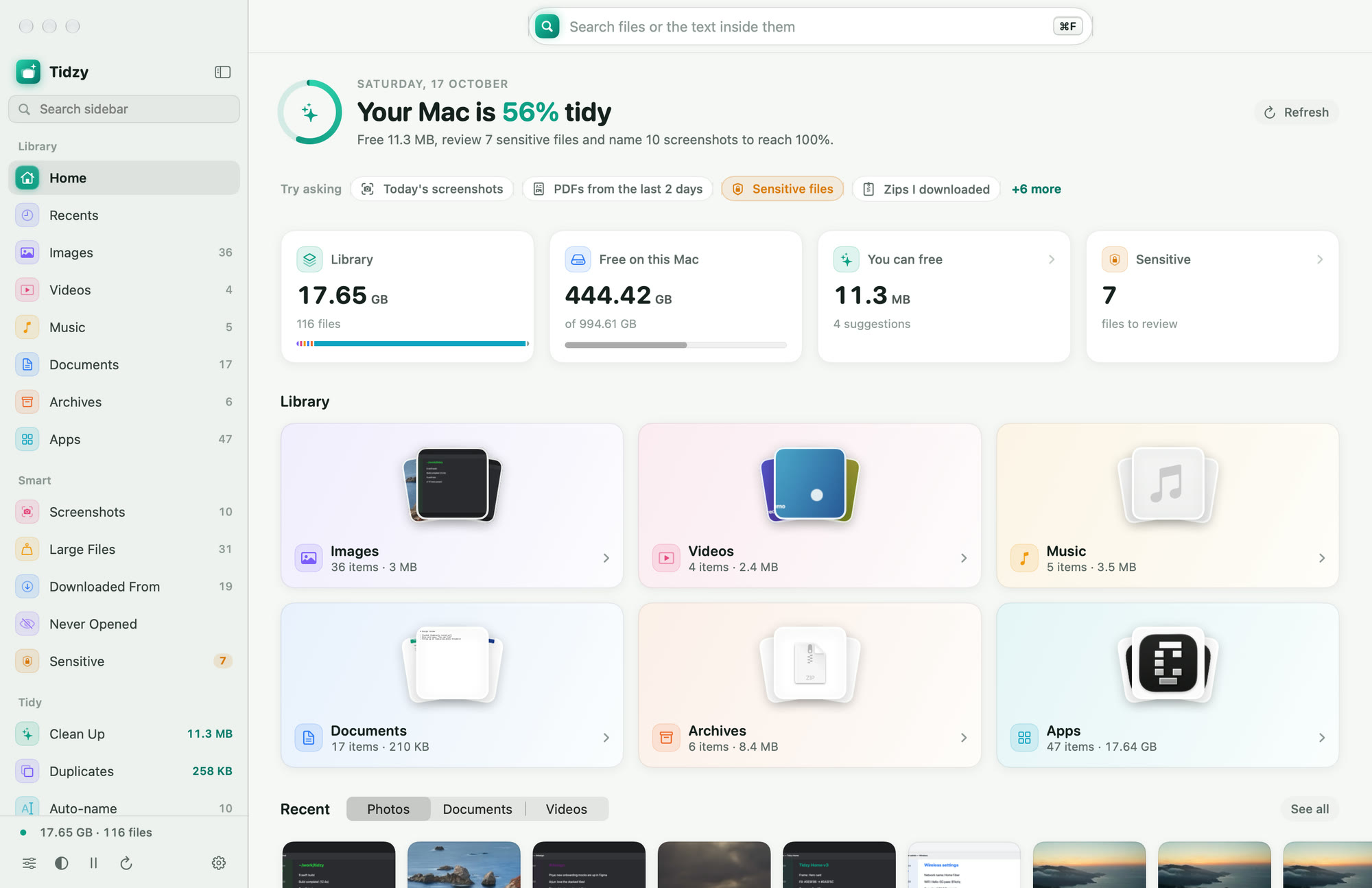
That question became Tidzy, a Mac app that finds any screenshot, photo, PDF or download by what's in it, reads text out of any image, and cleans up with an undo button. Here are seven things building it taught me, each one a problem I had to solve along the way.
1. Problem: the files people most need to search are the most private
The fastest way to build "search inside your images" is to send them to a server and run them through a cloud model. I never seriously considered it.
Think about what's in people's screenshots: passwords, bank pages, ID cards, private chats, medical results. Asking someone to upload all of that to find a receipt is a bad trade, and people sense it immediately.
Solution: everything in Tidzy runs on the Mac.
- Text recognition uses Apple's Vision framework.
- Screenshot naming uses Apple's on-device models, on Macs that support them.
- The search index is a local database on your Mac.
There's no account. The only network calls are license activation and update checks, and Settings lists every one. For a tool that reads everything you've ever screenshotted, trust is the product.
2. Problem: people don't remember file names. They remember stories.
Watch someone look for a file and listen to what they say out loud. It's almost never the name. It's:
- "It was a PDF someone sent me on Gmail, last week I think."
- "That screenshot with the error message."
- "The photos from WhatsApp, from the trip."
Solution: search that understands the story. Type pdfs from gmail last week and Tidzy pulls out the pieces: a type (PDF), a source (Gmail), a time (last week), and any words to look for inside files. It shows them as "Understood as" chips under the search bar, so you can see how it read you and remove a chip if it guessed wrong.
The "from Gmail" part comes from metadata macOS already keeps for downloads, the "Where from" field in Get Info. Most people have never noticed it. It turns "where did I get this?" into something you can search.
3. Problem: search that's correct can still feel broken
Early users told me the search "kept changing". They'd search, see results, start reading, and a few seconds later the list would shuffle.
The results were correct. That was the problem. Tidzy showed matches from its own index straight away, then asked Spotlight for extra text matches in documents, which could take a couple of seconds. When those arrived, they slotted in among the results, and the file someone was about to click jumped somewhere else.
Solution: make search honest instead of just fast.
- Wait for a short pause in typing, so half-typed words don't flash their own results.
- Show clearly that it's still working: a spinner in the field, "Searching…" in the header, and the old results dimmed.
- Publish the results once, complete, instead of trickling them in.
Same results, a moment later, and the complaints stopped. People don't mind waiting a beat. They mind things moving under their cursor.
4. Problem: copying text from an image takes too many steps
Even with search, there's a smaller daily annoyance: you need the words from a screenshot right now. Every built-in way starts with finding the image, opening it, and carefully selecting text.
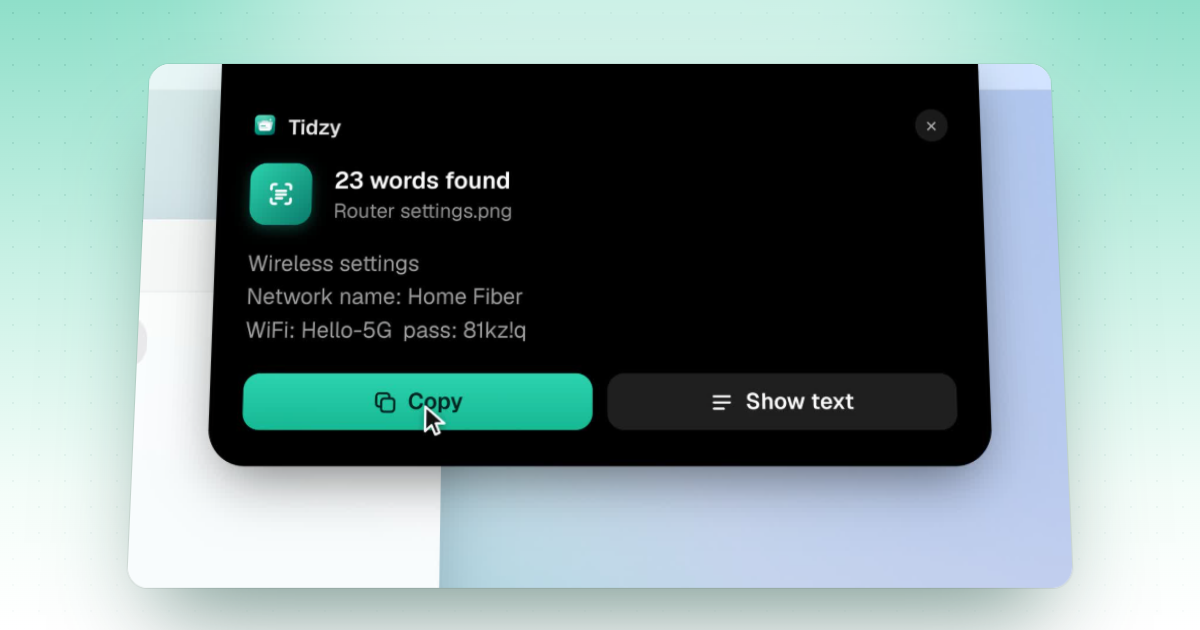
Solution: Drop to Read. Drag any image or PDF up to your MacBook's notch, a drop zone slides out, you let go, and the text is ready to copy.

The first version worked, but it felt cheap. The zone stuttered as it opened, and on a 120 Hz screen it looked like it was moving through syrup. Every frame of the animation resized the actual window, and macOS redrew everything inside it each step.
The rewrite keeps the window still and animates the zone inside it with real spring physics, at the display's full refresh rate. It springs out of the notch with a little bounce, and tucks back in firmly with none. That half second of motion took far longer than the feature itself, and it was worth it. The difference between "it works" and "I like using this" is mostly made of details nobody can name.
5. Problem: real Macs are much bigger than test Macs
Testing with a few hundred files tells you almost nothing. A Mac that's been in use for a few years can hold tens of thousands of images, and a whole home folder can run to hundreds of thousands of files.
The thumbnail grid was the clearest example. It first used a standard layout that worked out the position of every file whenever the window changed width. With 100,000 files, resizing the window stuttered badly, and so did scrolling with date headers.
Solution: only do work for what's on screen. The new grid works out just the visible tiles, so resizing and scrolling cost the same whether you have 100 files or 500,000. Most performance problems turn out to be work done for things nobody can see.
6. Problem: nobody cleans up when deleting feels permanent
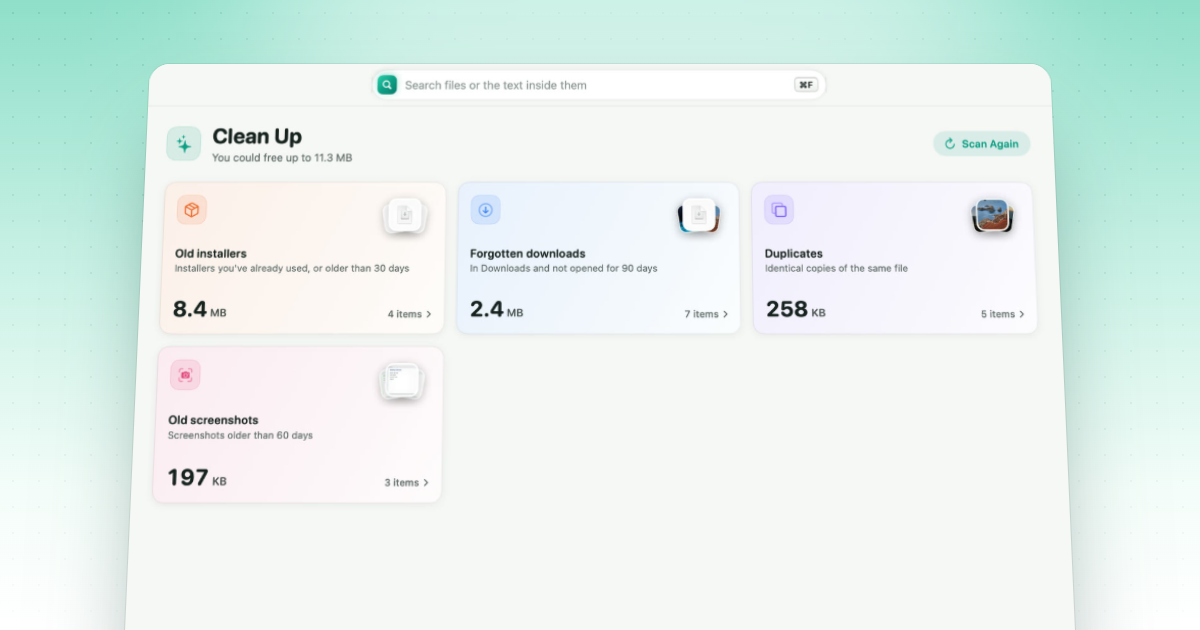
Tidzy cleans up old installers, forgotten downloads, duplicates and old screenshots. But a cleanup tool people are afraid of is a cleanup tool nobody opens.
Solution: make every action reversible. Nothing is deleted outright. Files go to the Trash, and every change (moving to the Trash, moving, renaming, zipping) is recorded in History with a one-click undo that puts things back exactly where they were.
Undo doesn't only prevent disasters. It's what makes people willing to use the rest of the app.
7. Problem: a subscription is a monthly reason to quit
For a small utility, a subscription plants a question every month: "am I using this enough?"
Solution: a one-time price, with no subscription and no account. Since 1.3, Tidzy is also free to download: scanning, search and the Mac Checkup cost nothing, and one payment unlocks the cleanup for good. Prices are also set per region. Visitors from India see rupee prices that never cost more than the US price, because a tool like this should be an easy yes everywhere.
Where it is now
Tidzy finds anything on your Mac by describing it, reads text out of any image with a drag to the notch, names your screenshots, finds duplicates and sensitive files, and cleans up with an undo button. All of it on your Mac.
If you build things too, here's everything above in one line: features get people to try your app, but solving the small problems (results that stay put, an animation that feels right, an undo button) is what makes them keep it.
I read every message, so if something in Tidzy feels off, tell me at hello@gettidzy.app.
Try it on your own files
From $4.99, one time, for 1, 2 or 3 Macs, with a 14-day full refund. Everything runs on your Mac, and every action can be undone.